




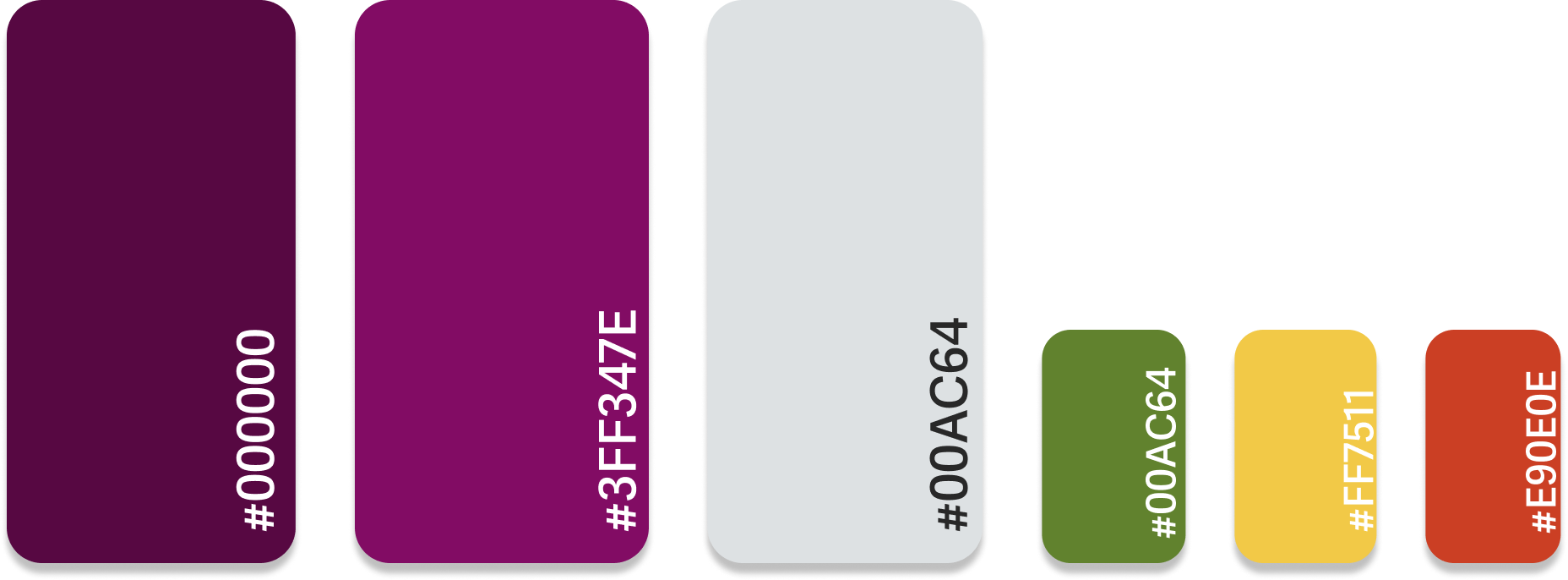
Working at UPMC there was a set design system in use called Coral Design System. This Design system made use of the pictured colors to communicate company standards, alerts and the overall company theme. I followed the Coral design system guidelines for how the colours had to be used. For example, red had to be used to highlight only certain alerts that were urgent or dire.

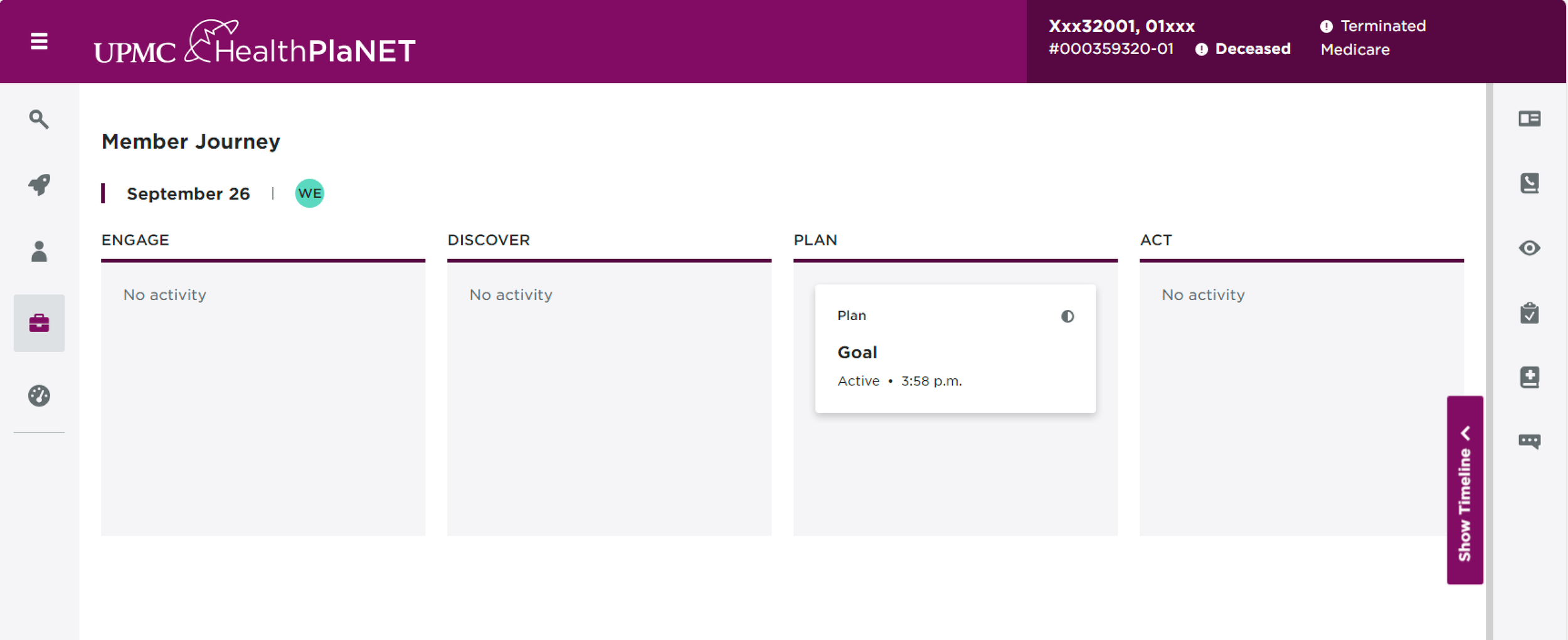
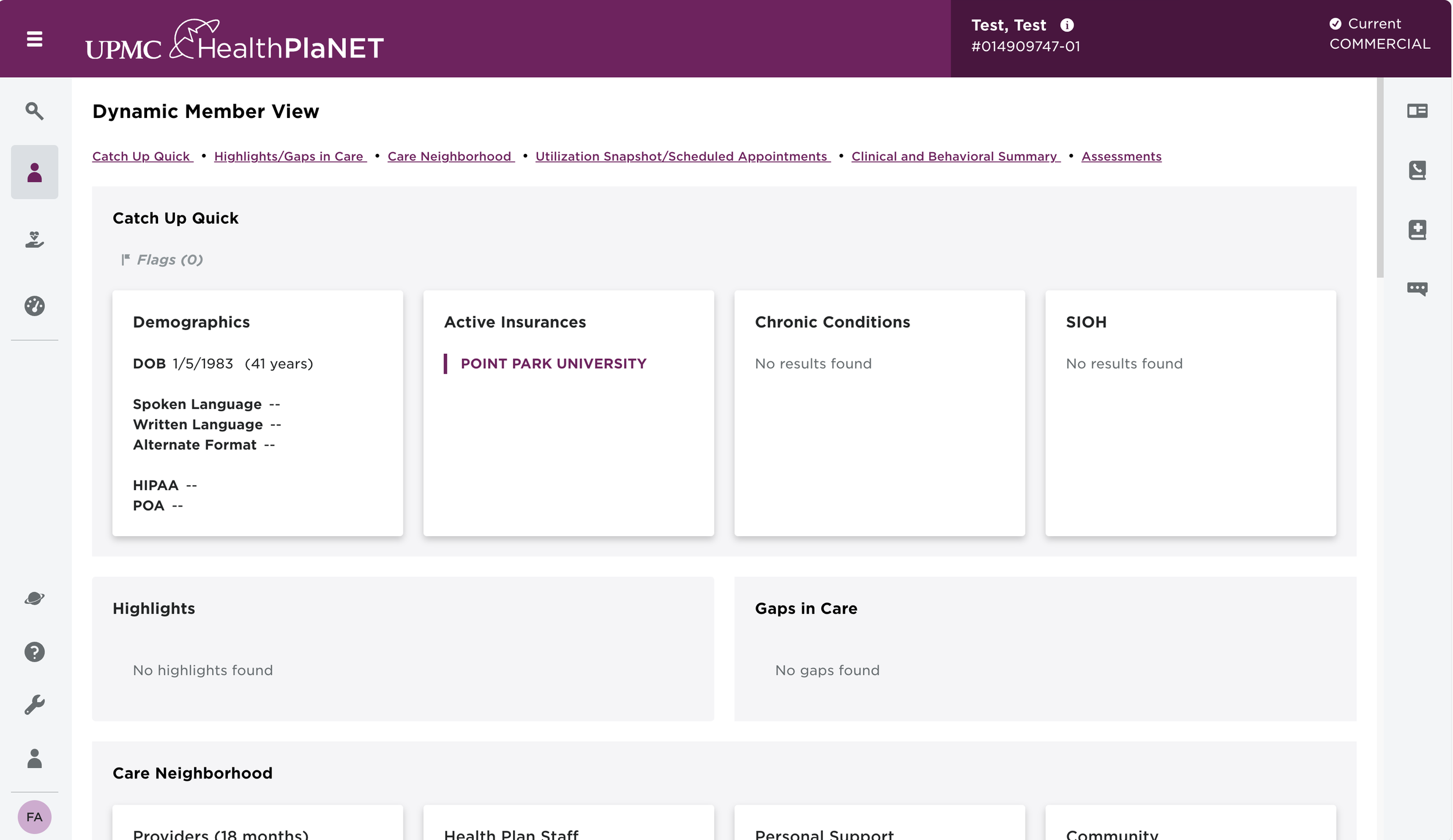
DMV Before the timeline was added:
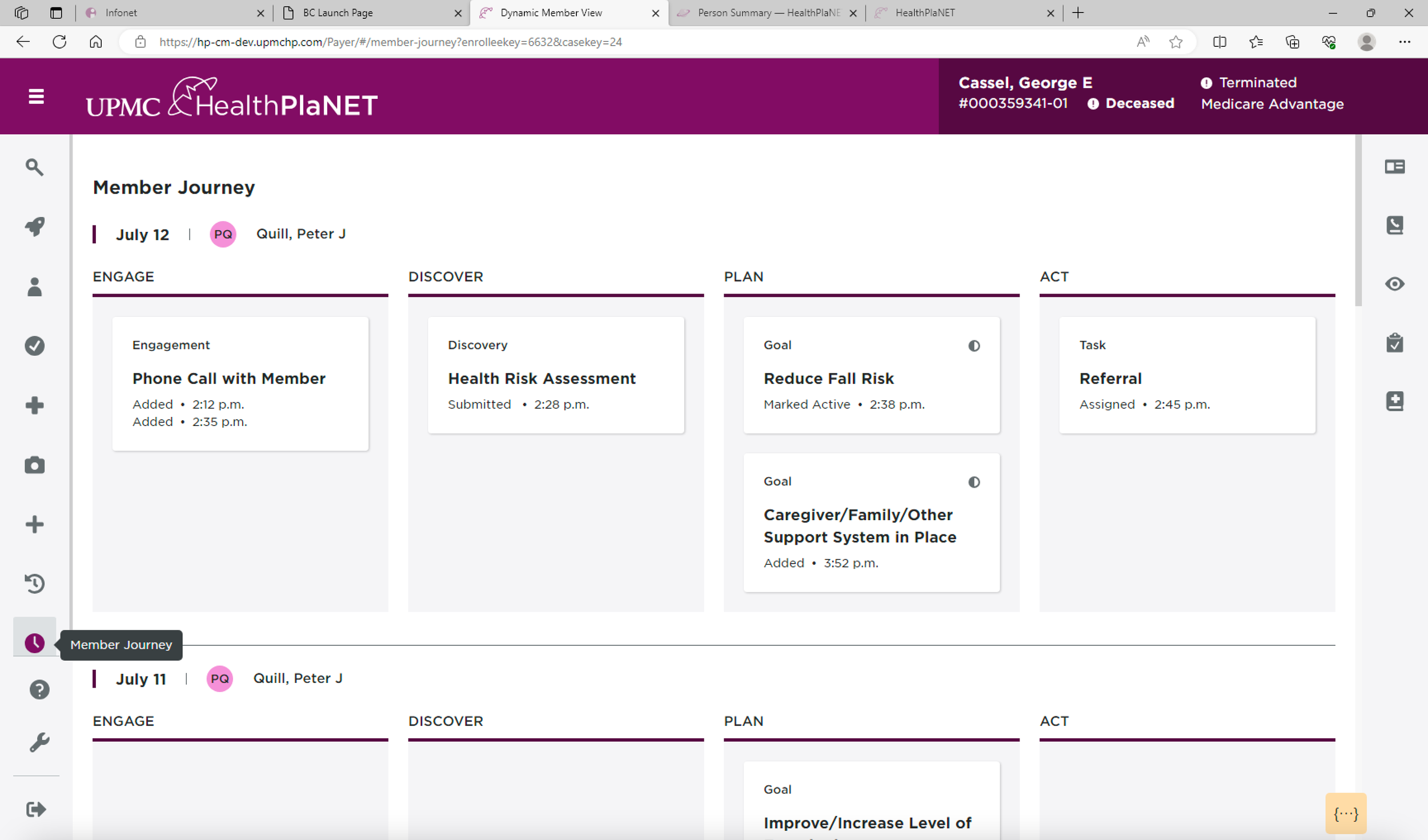
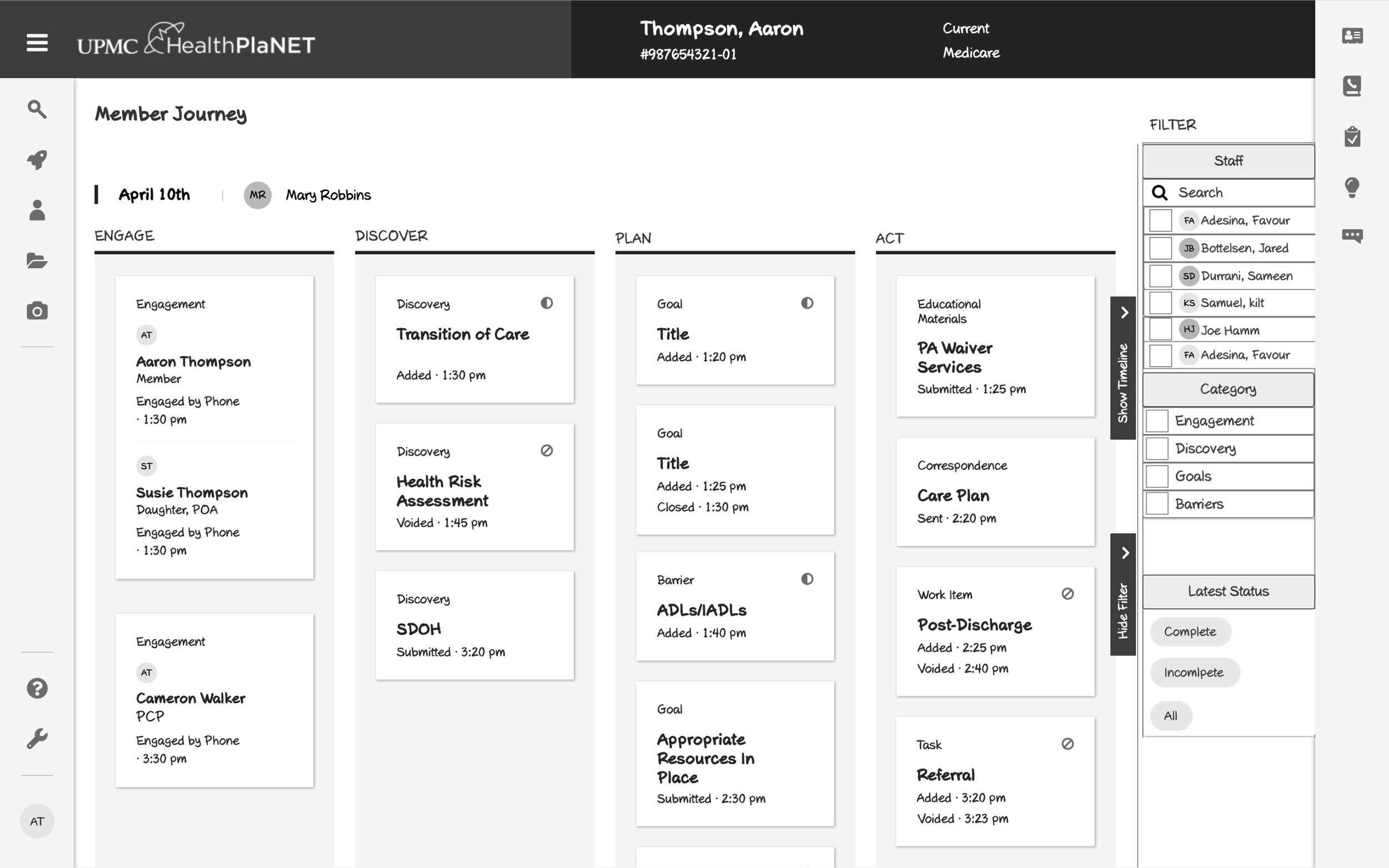
DMV After the timeline tab was added:
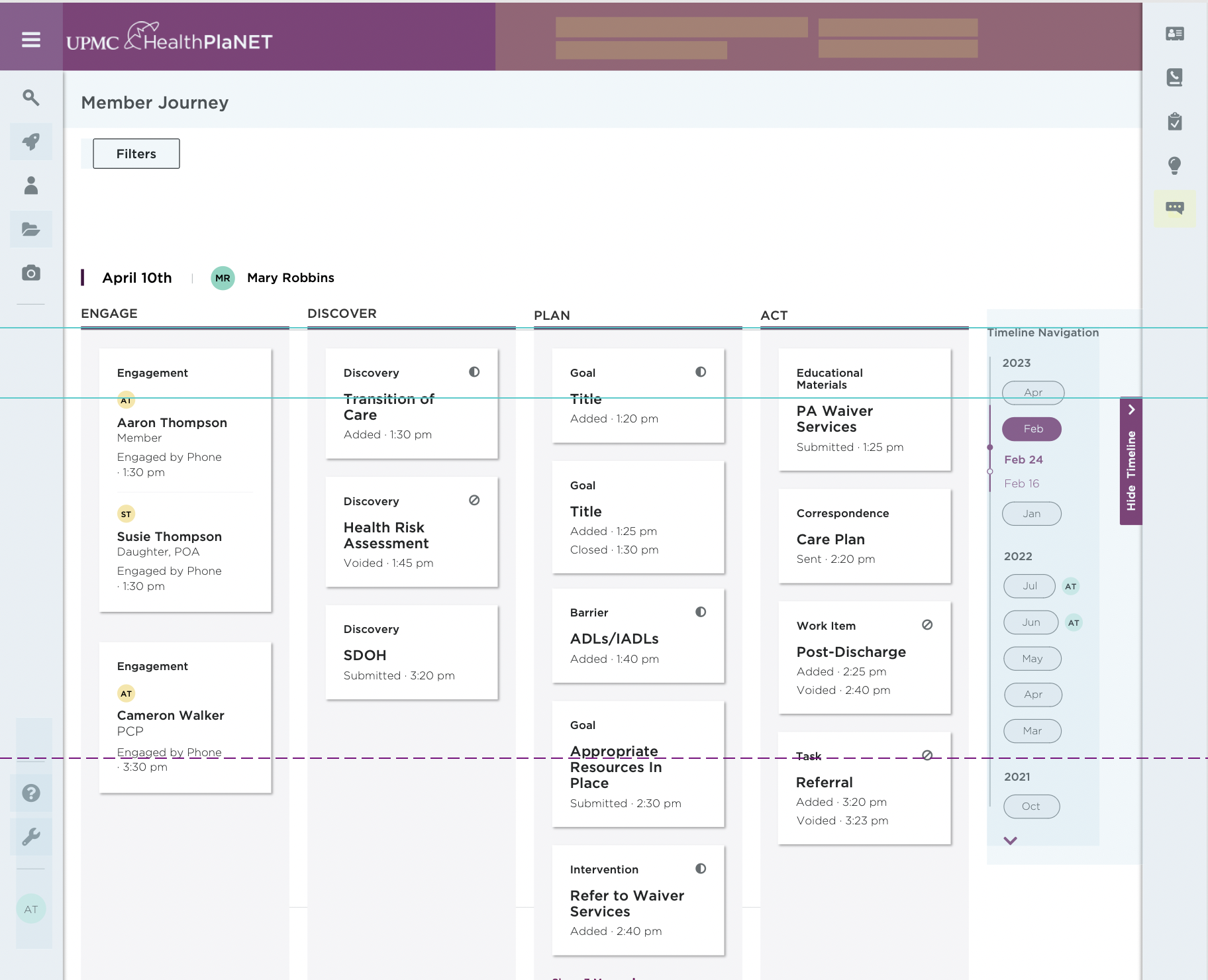
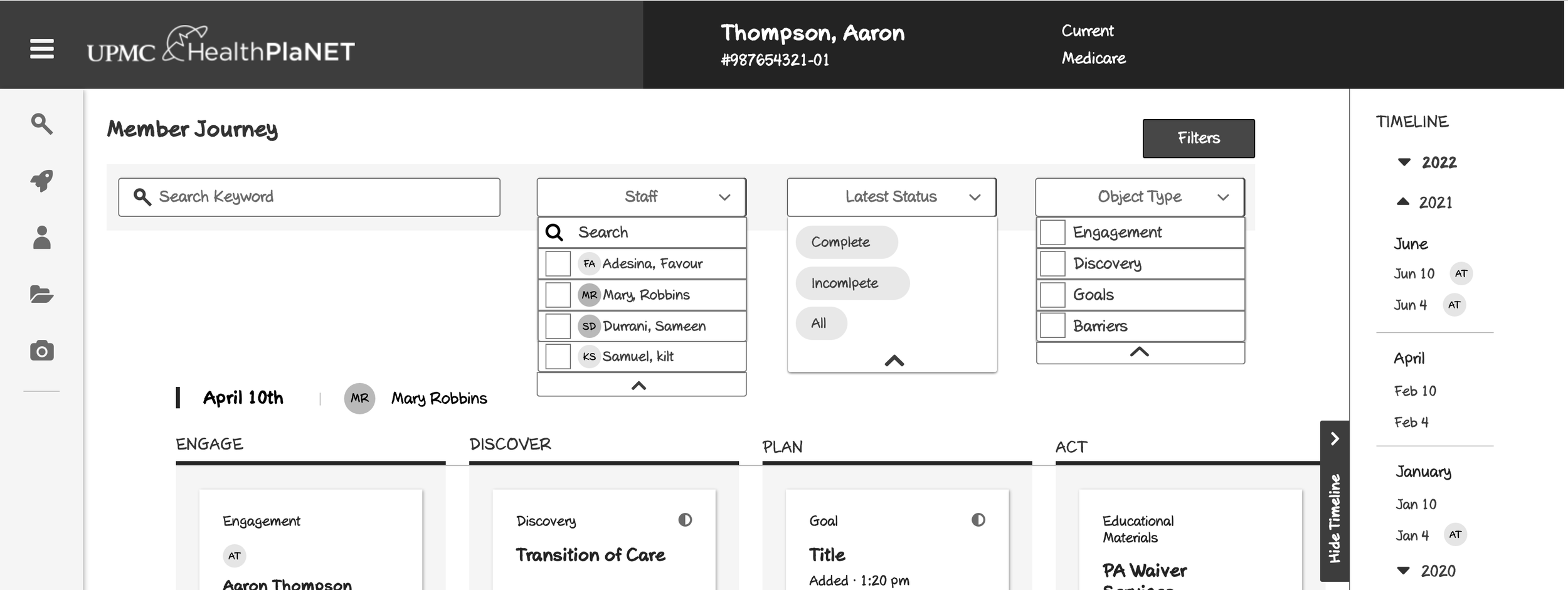
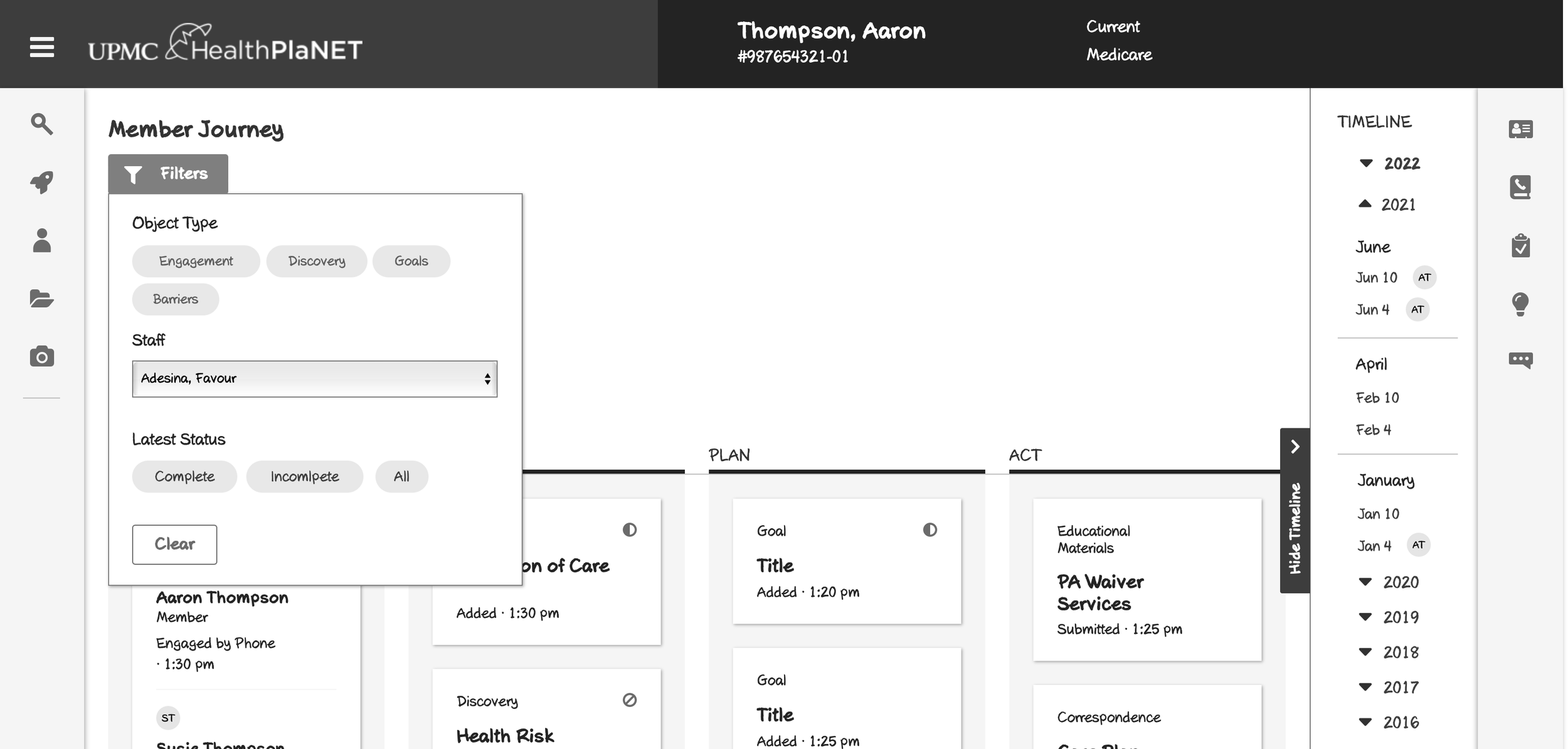
Lo-fi Wireframe shows potential filter that Business owners spoke about adding to timeline feature:
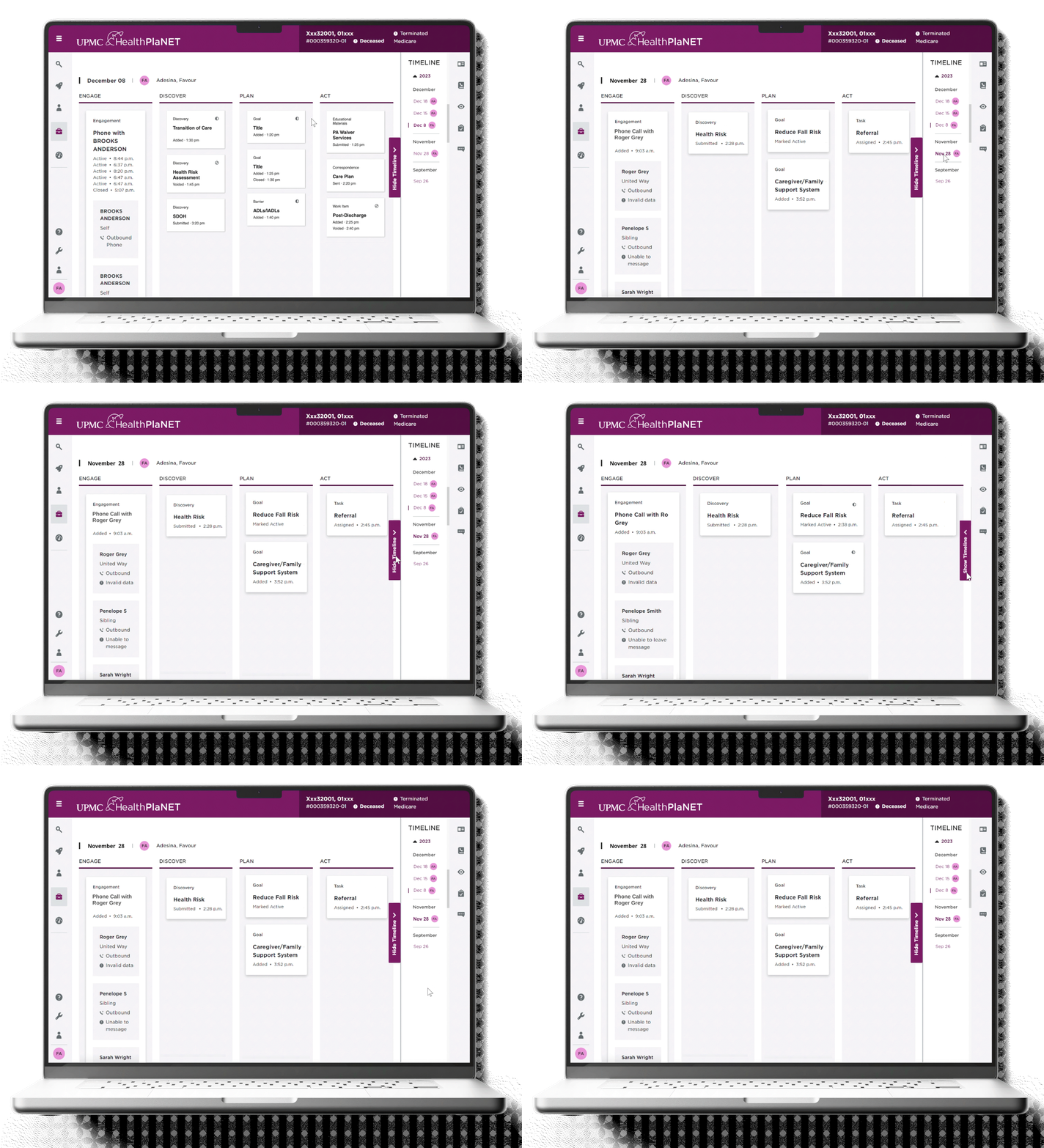
Hi-Fi Wireframes showing both desktop and mobile versions:
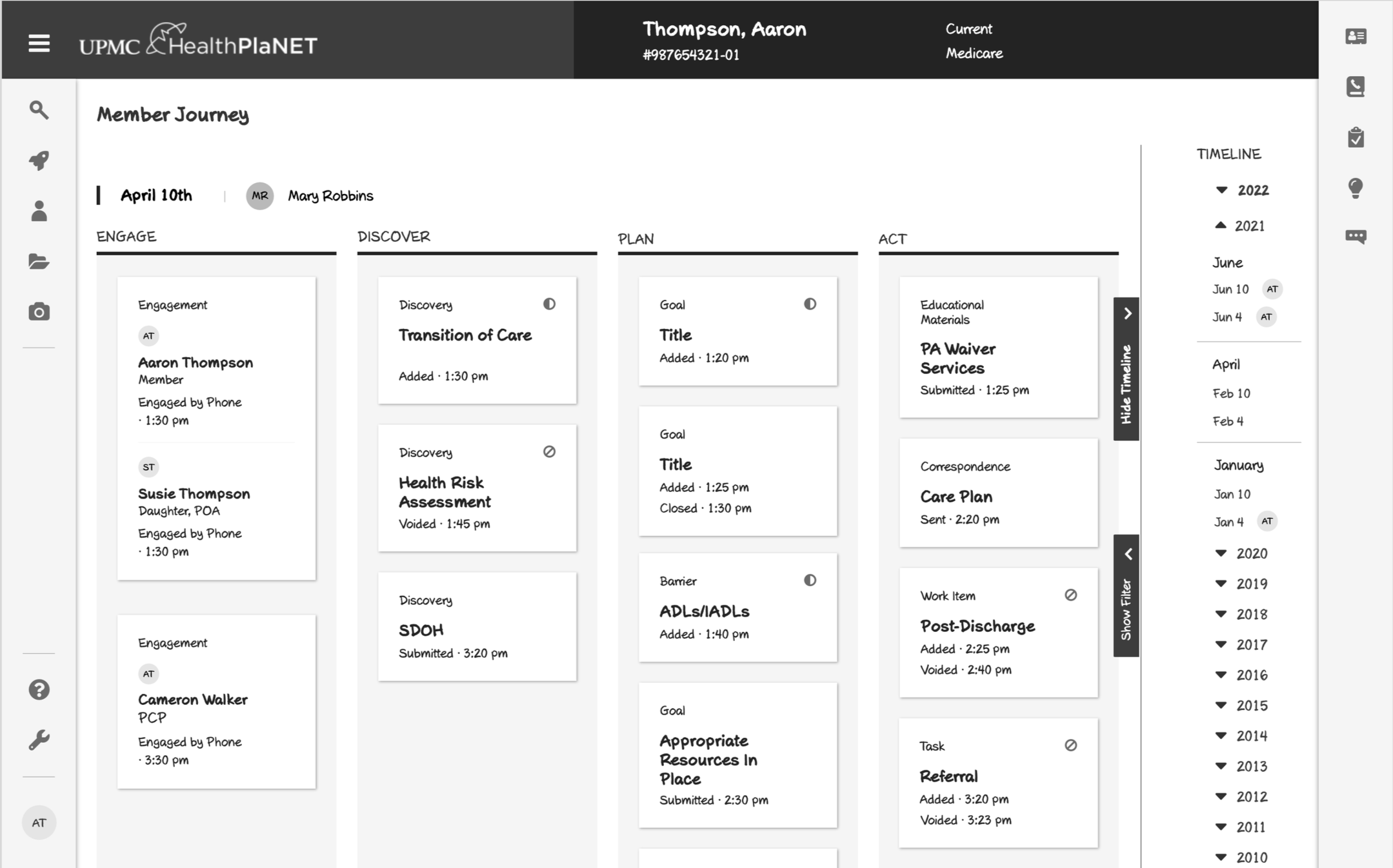
I was tasked with designing a timeline feature for the Member Journey portion of DMV.
I started by Interviewing the Users on what kind of timeline features would be beneficial to their workflow.
As a result of the research conducted, I decided to add a tab on the side that would allow the Timeline to be collapsible.
Pictured on the left is a Lo-fi Wireframe showing the Timeline expanded.
Within the timeline tab, each year is expandable to save space.
Afterwards I worked with the team to create the Hi-fi Wireframe as well as the mobile version. First I sought feedback from the team.




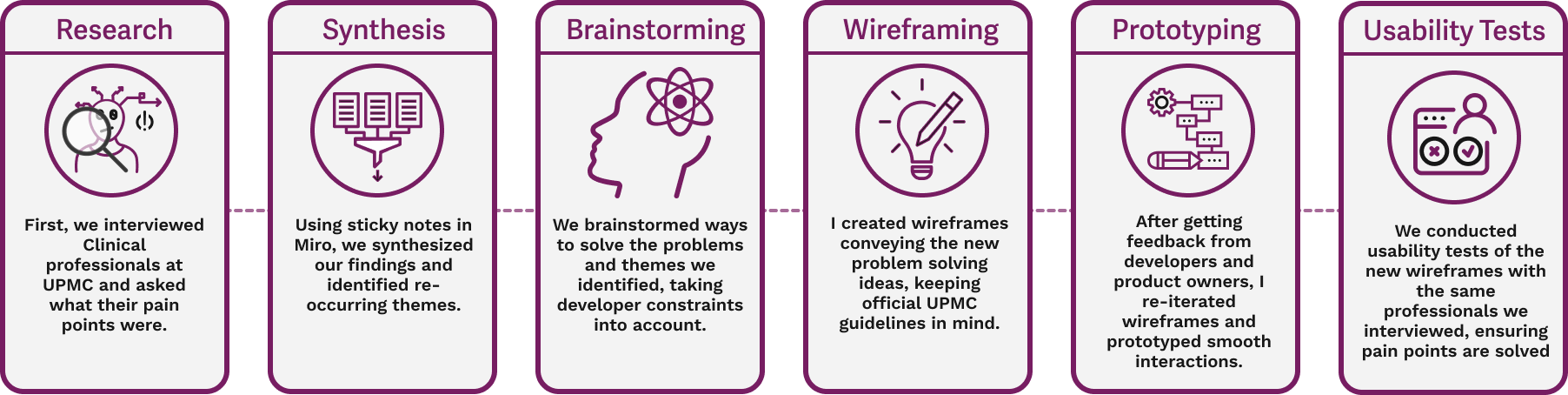
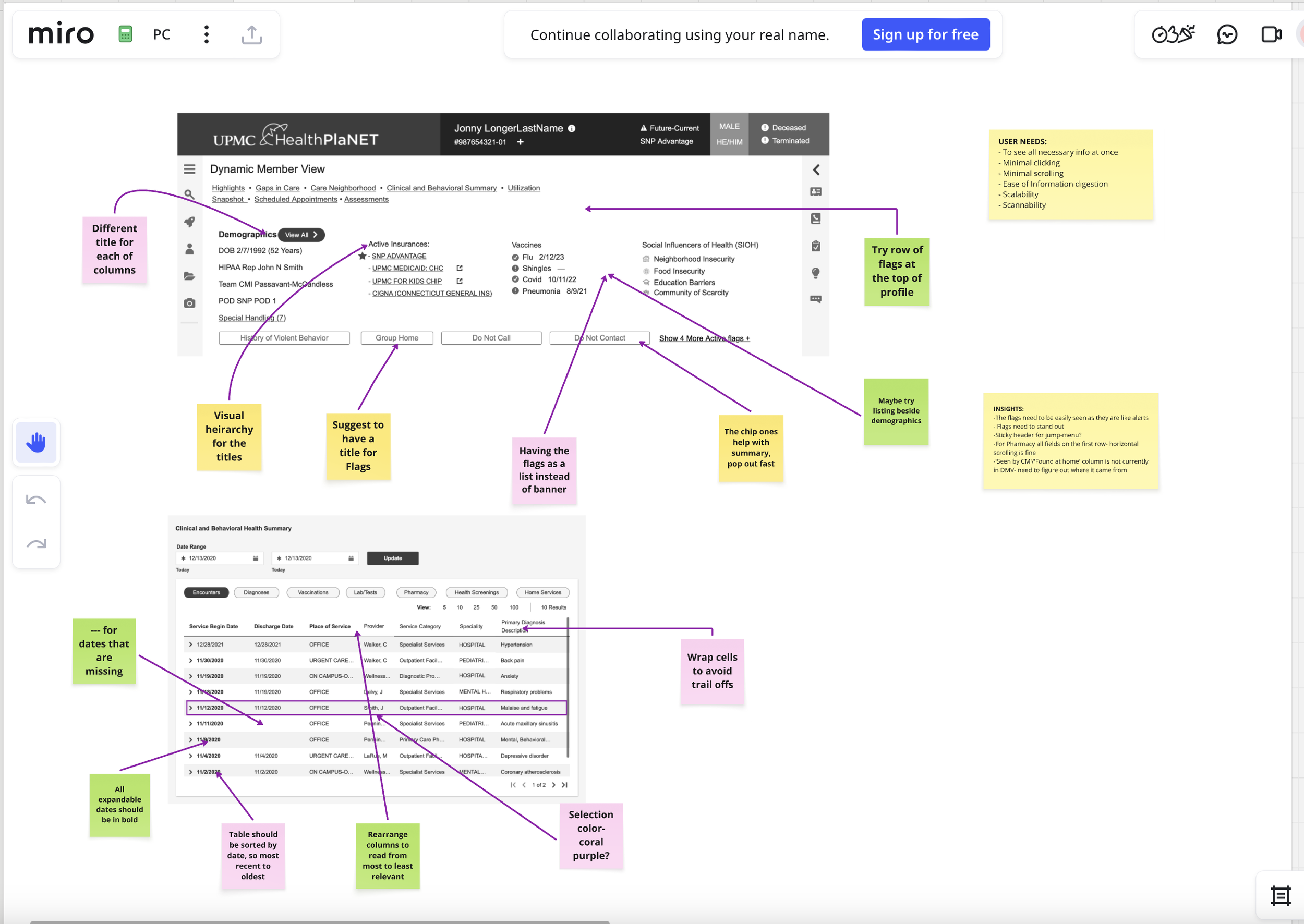
I was tasked with conducting user interviews with UPMC Healthcare professionals, in order to gather information on how I could re-design UPMC’s Dynamic Member View with the Visual Designer and developers. After summarizing the insights with our researcher, we prioritized what changes to make and I worked to design how the interactions would take place with the new visuals. One of the major changes were jump links, we added them at the top of the screen to reduce endless scrolling for the users. Below is a snapshot from Miro, showing our process for redesigning the profile to allow for easier access to member information.
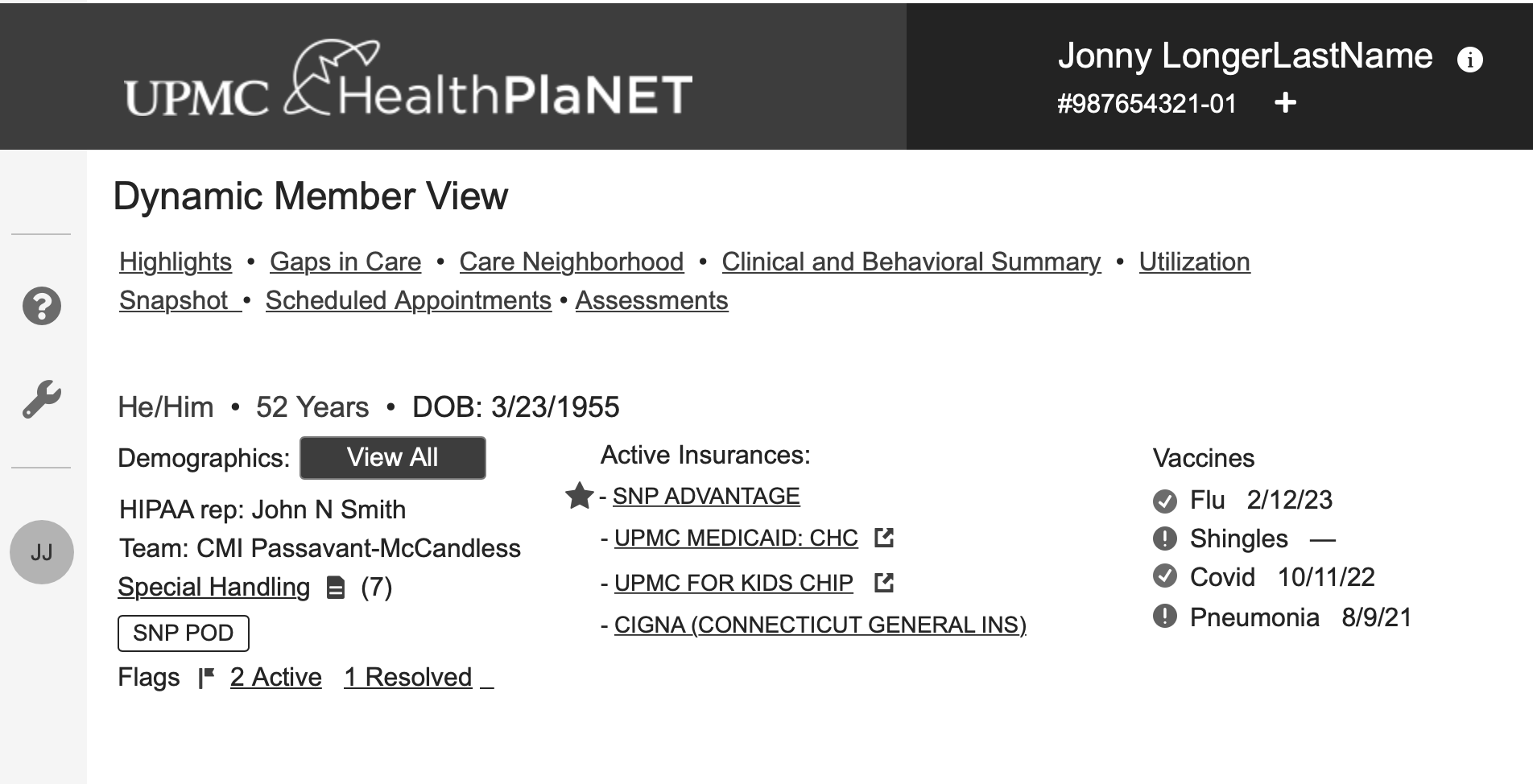
Above and to the right are Mid-fi mockups of the new changes. We re-designed the profile aspect of dynamic member view, to create a more comprehensive, time efficient panel that was easily accessed by UPMC professionals without having to click through many elements.
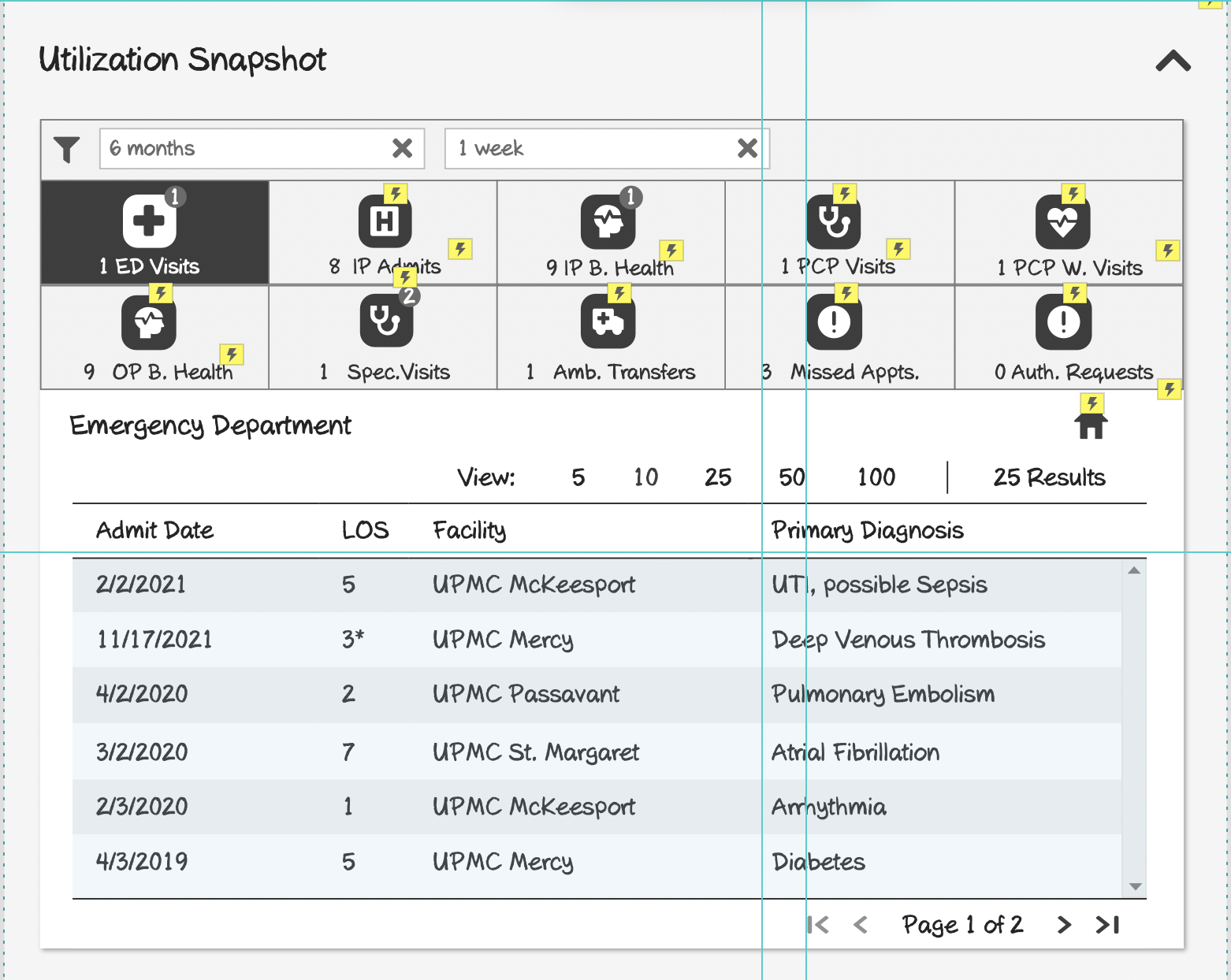

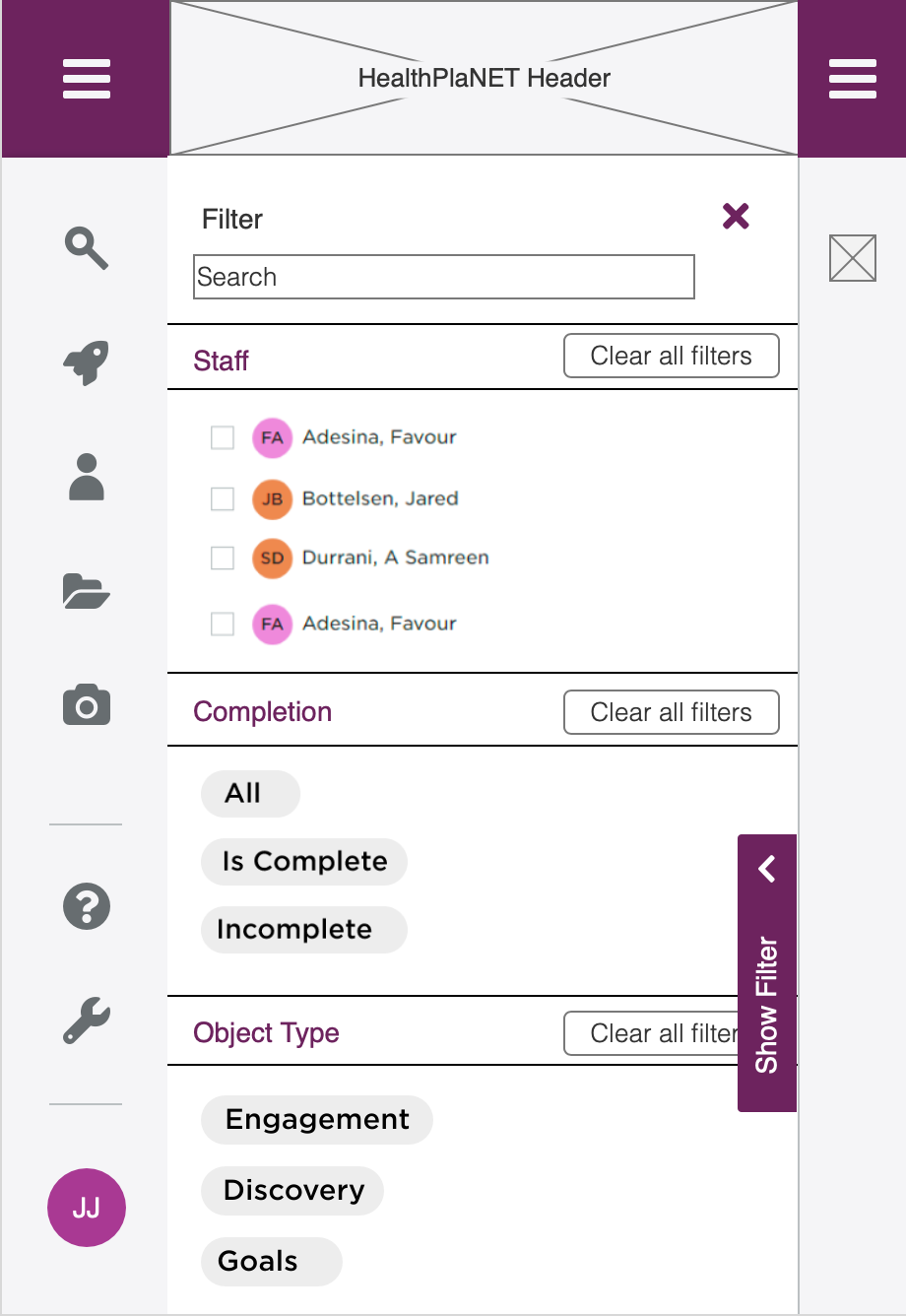
I was tasked with re-designing HealthPlaNet’s filter system with the UX researcher and Visual Designer. First we conducted user interviews and contextual Inquiries with UM Nurses, identifying pain-points and areas for improvement.
After research, we summarized what new changes needed to be made:
Tags for easier sorting
Showing initials with staff to help visual identification.
New placement that streamlines user experiences.
Then, we brainstormed solutions and wireframed them in Mid-fi.
We settled on a space saving version to keep inline with our objectives.
I also worked on a Mobile Display version.
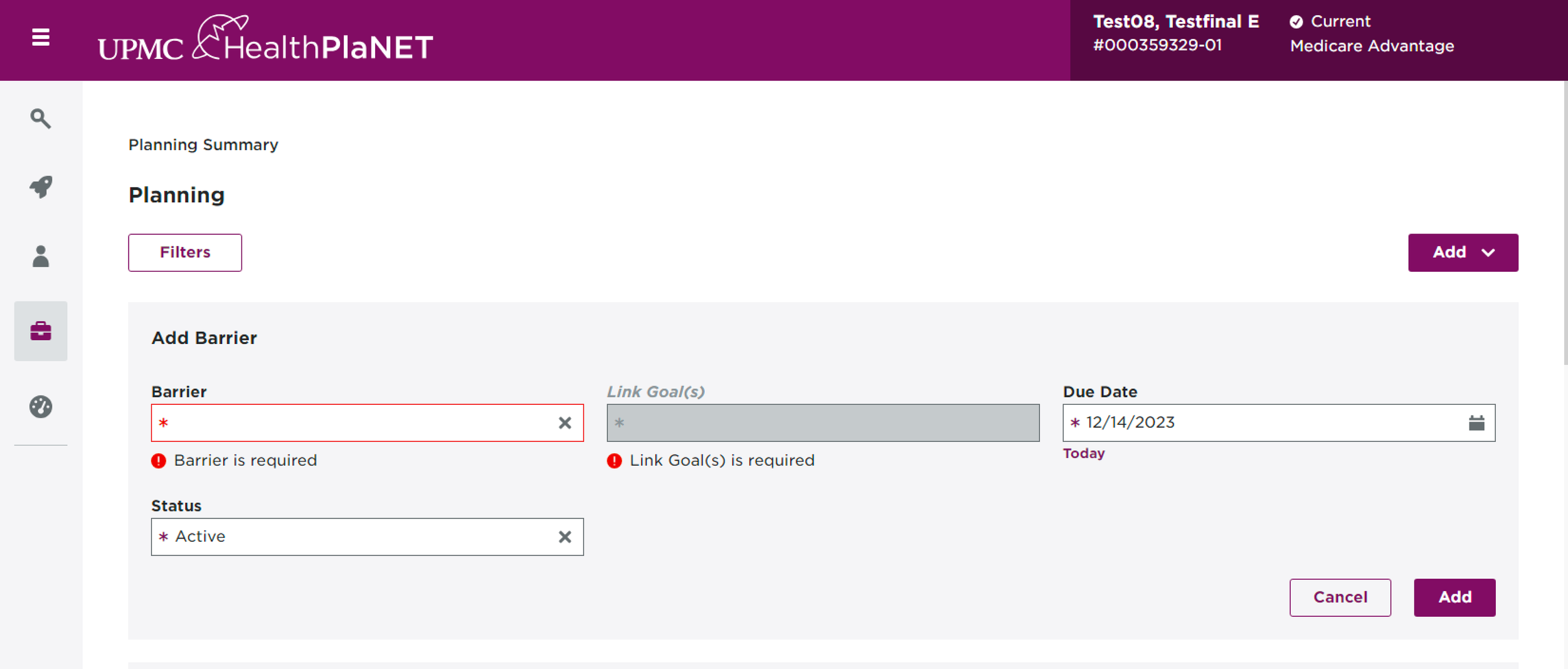

I was also tasked with re-designing the header space in HealthPlaNet to include more tags for information on the member. I added a “Deceased” Tag and “Terminated” tag to relay more information effectively. After user testing I worked to refine the placements and hover aspect to eloquently relay information is a succinct manner.




